
Mastering Photorealistic Rendering Techniques
- Rajko Stijakovic

- Jan 26
- 4 min read
Photorealistic rendering is not just a skill - it’s an art form that transforms ideas into vivid realities. When I first dove into this world, I realized it’s about more than just software and settings. It’s about understanding light, materials, and the subtle nuances that make a digital image indistinguishable from a photograph. Today, I want to share the core techniques that have helped me master photorealistic rendering and elevate my projects to a new level of realism and impact.
Unlocking the Power of Photorealistic Rendering Techniques
Photorealistic rendering techniques are the backbone of creating visuals that resonate deeply with viewers. Whether you’re visualizing a sleek architectural design or crafting a detailed interior scene, these techniques ensure your work speaks with clarity and authenticity.
Lighting Is Everything
Lighting is the soul of photorealism. Without it, even the most detailed model looks flat and lifeless. I always start by studying natural light behavior. Here’s what I focus on:
Directional Light: Mimics sunlight or artificial light sources. Adjusting intensity and angle creates shadows that add depth.
Global Illumination (GI): Simulates how light bounces off surfaces, filling in shadows and creating soft, realistic lighting.
HDRI Environments: Using high dynamic range images as environment maps adds realistic reflections and ambient light.
For example, when rendering an exterior architectural scene, I use an HDRI map of a clear sky combined with a directional sun light. This combo creates natural shadows and highlights that bring the building to life.
Material Mastery: The Key to Realism
Materials define how surfaces interact with light. I’ve learned that no amount of perfect lighting can save a scene with poor material setup. Here’s my approach:
Physically Based Rendering (PBR): Use PBR materials that simulate real-world properties like roughness, metalness, and subsurface scattering.
Texture Maps: Incorporate diffuse, bump, normal, and specular maps to add detail and complexity.
Layering Materials: Combine multiple layers for effects like dirt, wear, or translucency.
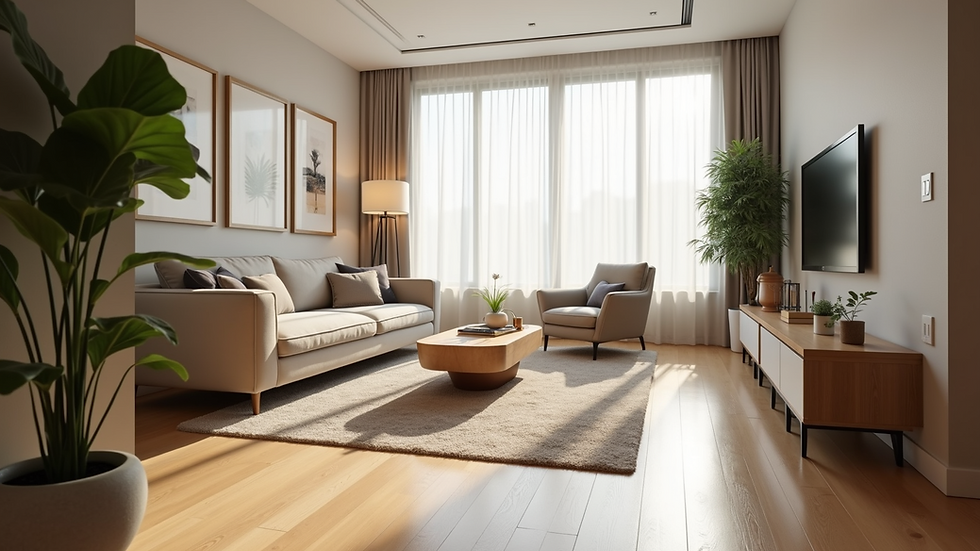
For instance, when creating a wooden floor, I don’t just apply a wood texture. I add a subtle bump map to simulate grain and a gloss map to control reflections, making the floor feel tangible.

Camera Settings and Composition
A photorealistic render is incomplete without the right camera setup. I treat the virtual camera like a real one, adjusting settings to enhance realism:
Focal Length: Mimics real lenses; wide angles exaggerate space, while telephoto compresses it.
Depth of Field (DoF): Adds focus and blurs background elements, guiding the viewer’s eye.
Exposure and White Balance: Balances brightness and color temperature for natural results.
When visualizing a real estate project, I often use a 35mm focal length with a shallow depth of field to create inviting, magazine-quality shots.
Essential Software and Tools for Photorealistic Rendering Techniques
Choosing the right tools is crucial. Over the years, I’ve experimented with many, but some stand out for their power and flexibility:
Rendering Engines: V-Ray, Corona Renderer, and Unreal Engine are my go-to choices for architectural visualization.
3D Modeling Software: Autodesk 3ds Max and Blender provide robust modeling capabilities.
Post-Processing: Adobe Photoshop and After Effects help refine colors, add effects, and polish the final image.
Each tool has its strengths, but mastering their integration is what truly elevates your work. For example, I often export raw renders from V-Ray and enhance them in Photoshop to fine-tune contrast and add subtle lens effects.
Workflow Tips for Efficiency and Quality
Efficiency is key when working on complex projects. Here’s how I keep my workflow smooth without sacrificing quality:
Start with a clean model - Avoid unnecessary geometry to speed up rendering.
Use proxies for heavy objects - This reduces memory load.
Test render in low resolution - Quickly check lighting and materials before final high-res output.
Leverage render layers and passes - Separate elements like shadows, reflections, and ambient occlusion for flexible post-processing.
This structured approach saves time and allows me to focus on creative decisions rather than technical troubleshooting.

Elevating Your Renders with Real-World Inspiration
To truly master photorealistic rendering techniques, you must observe the real world closely. I make it a habit to:
Study architectural photography - Notice how light interacts with surfaces at different times of day.
Visit construction sites - Understand materials and textures firsthand.
Analyze nature - Observe how light scatters through leaves or reflects off water.
This practice informs my digital work, helping me replicate subtle details that make a scene believable. For example, adding slight imperfections like dirt or scratches based on real observations adds authenticity.
Pushing Boundaries: Advanced Techniques and Trends
The field of photorealistic rendering is constantly evolving. Staying ahead means embracing new technologies and methods:
Real-time rendering: Engines like Unreal Engine allow interactive walkthroughs with near-photoreal quality.
AI-assisted denoising: Speeds up rendering by cleaning up noise in low-sample images.
Procedural textures: Generate complex materials algorithmically for infinite variation.
I encourage you to experiment with these innovations. They not only improve efficiency but also open creative possibilities that were once unimaginable.
Your Next Step Toward Photorealistic Excellence
Mastering photorealistic rendering techniques is a journey of continuous learning and experimentation. By focusing on lighting, materials, camera work, and workflow, you can create visuals that captivate and inspire. Remember, every pixel tells a story - make yours unforgettable.
If you want to dive deeper into architectural visualization and learn from industry leaders, check out Studio Heisenberg. Their expertise and teaching resources are invaluable for anyone serious about pushing the boundaries of photorealism.
Keep creating boldly and pushing your vision forward. The future of rendering is yours to shape.


Comments